


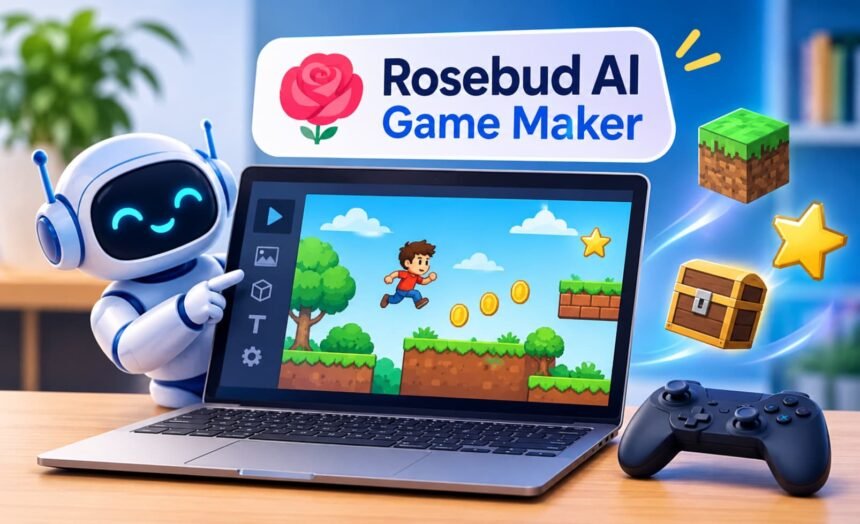
Creating a video game no longer has to start with learning a programming language or spending weeks setting up development software. AI-powered tools are making game creation more accessible, allowing beginners to turn their ideas into playable experiences with simple text instructions. One platform exploring this approach is Rosebud AI Game Maker, which helps users generate, edit, test, and share games through a browser-based workspace.
Whether you want to experiment with a 2D platformer, build a 3D adventure, create an interactive story, or explore game development for the first time, the platform offers a different way to approach the process. However, generating a playable prototype and developing a polished game are two different things.
This guide explains how the platform works, what you can build, how much it costs, and what beginners should consider before investing time or money in it.
Also read: How Much Does One AI Generation Cost?
What Is Rosebud AI Game Maker?
Rosebud.AI is a browser-based game creation platform that uses artificial intelligence to turn written descriptions into playable game projects. Instead of manually writing every line of code, users can describe their ideas in everyday language and let the platform generate the underlying game elements.
For example, someone could describe a simple racing game with a customizable car, an obstacle-filled track, and a scoring system. The AI can use those instructions to create an initial version that the user can preview and refine.
The platform is designed to make experimentation easier for people who have creative ideas but limited programming experience. It also provides opportunities for more experienced creators to explore concepts, generate assets, and work with editable code.
Rosebud’s browser-based approach means users can begin creating without installing a traditional game engine. Its official website also highlights features such as 2D and 3D asset generation, AI-powered characters, and game publishing.
How Does Rosebud AI Work?
The basic process revolves around describing an idea, generating an initial project, and improving it through further instructions.
Rather than expecting a complete game from one prompt, users can develop their projects through smaller changes.
1. Describe Your Game Idea
Start by explaining the type of experience you want to create. Include the genre, environment, characters, objectives, and basic gameplay mechanics.
For example:
“Create a 2D platform game where a character explores a mysterious forest, jumps across platforms, collects glowing crystals, and avoids moving obstacles. Add a score counter, three lives, and a restart option.”
Specific instructions give the AI a clearer understanding of the intended result.
2. Generate the Initial Game
After submitting your description, the platform processes the instructions and generates an initial version. Depending on the project, this may include gameplay code, visual elements, environments, and other assets.
You can then inspect the generated result in the preview area.
3. Make Changes Using AI Instructions
The first version may not match your expectations. You might need to adjust character movement, change the environment, improve the controls, or introduce additional gameplay mechanics.
Instead of rebuilding everything manually, you can describe the changes you want through the AI chat interface.
For example:
- Make the character move faster.
- Add more challenging obstacles.
- Change the background to a nighttime environment.
- Introduce a health bar.
- Make the first level easier for beginners.
Rosebud’s AI assistant, Rosie, helps users refine their projects through these conversational instructions.
4. Test and Publish Your Game
Testing is an important part of the process. Play through the generated project, check whether the controls work, and identify problems before sharing it.
Once the game is ready, you can use the publishing option to generate a shareable link. Other people can open that link and try the experience in their browsers.
For a practical introduction, Rosebud also provides an official beginner tutorial covering game creation, editing, testing, and publishing.
Key Features Worth Exploring Rosebud AI Game Maker:
The platform offers several tools that can help simplify different parts of game development.
AI-Powered Game Creation
Its main feature is the ability to generate game projects from written instructions. This can help beginners move from an idea to an initial playable experience without manually building every component.
2D and 3D Game Development
Users can experiment with different visual styles and gameplay formats. Simple arcade experiences, platformers, role-playing games, and 3D environments are among the possibilities.
AI Asset Generation
Creating characters, backgrounds, objects, and other visual elements can take considerable time. AI-assisted asset generation helps users explore different designs without creating every asset from scratch.
The platform also offers tools for generating sprites, 3D models, and skyboxes.
Conversational Editing
The AI-assisted editing workflow allows users to request changes through natural-language instructions. This makes it easier to experiment with gameplay mechanics and visual details.
However, more complex changes may require several attempts and careful testing.
AI Characters and NPCs
Non-player characters (NPCs) can make games feel more interactive. Rosebud promotes AI-powered character experiences that support dialogue and character interactions.
This can be useful for creators developing story-driven games, role-playing experiences, or interactive adventures.
Also read: Top AI-powered Tools for Streamlining Business Operations
Browser-Based Publishing
Sharing a playable project is an important advantage for creators who want feedback without asking people to install additional software.
A published game link can make it easier to demonstrate an early concept, share a small project with friends, or collect feedback from other players.
What Types of Games Can You Create?
The possibilities depend on the complexity of your instructions, the available features, and how much refinement the project requires.
Here are some examples worth exploring.
2D Platform Games
Platformers are a practical starting point for beginners. You can experiment with character movement, jumping, collectibles, obstacles, and multiple levels.
Role-Playing Games
RPG concepts can include characters, quests, conversations, inventory systems, and basic combat mechanics. These projects may require more detailed instructions and testing as the number of gameplay systems increases.
Puzzle Games
Puzzle experiences are another useful starting point. You could create matching challenges, logic-based levels, maze games, or simple physics puzzles.
Horror and Adventure Games
Creators can experiment with dark environments, suspenseful storytelling, exploration, and interactive characters.
Racing Games
A basic racing project could include vehicle movement, checkpoints, obstacles, lap tracking, and scoring. More advanced simulations would require considerably more development work.
Interactive Stories
Interactive storytelling allows players to make decisions that influence what happens next. This format can be useful for visual novels, character-based stories, and branching narratives.
Can Rosebud AI Make Games Like Minecraft?
This is an interesting question because Minecraft-style games involve more than creating a three-dimensional environment.
A voxel-based game typically needs several connected systems, including:
- A world made from individual blocks.
- Player movement and camera controls.
- Block placement and removal.
- Terrain generation.
- Inventory management.
- Resource collection and crafting.
- Saving and loading game progress.
Rosebud can be used to experiment with voxel-style environments and block-based game concepts. Its AI-assisted development approach may help beginners create an initial prototype with some of these mechanics.
However, building a small Minecraft-inspired project is not the same as recreating Minecraft.
Minecraft has extensive world-generation systems, multiplayer infrastructure, crafting mechanics, performance optimization, and years of development behind it.
If you want to explore this idea, start with a limited objective. For example, create a small block-based world where players can walk around, remove blocks, and place new ones. Once those mechanics work, gradually introduce inventory, terrain generation, and additional features.
This approach is more realistic than asking an AI tool to create an entire sandbox game in a single instruction.
Is Rosebud AI Free?
Yes, the platform offers a free starting option, allowing users to experiment before purchasing a subscription.
However, free access does not mean every feature or development requirement is unlimited.
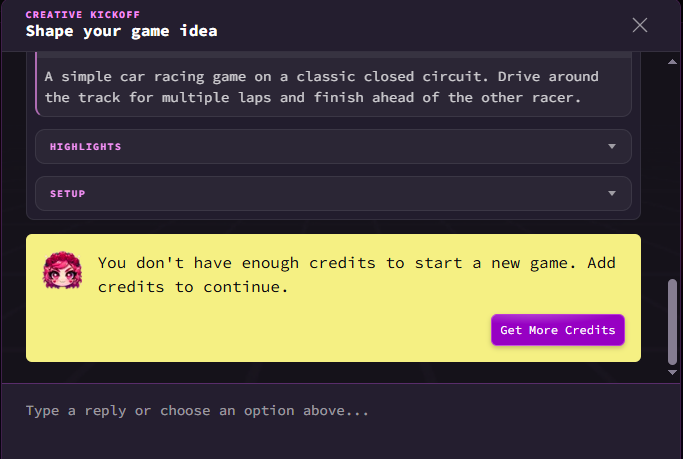
Rosebud uses a credit-based system for AI generation. The amount available and the features included depend on the selected plan and current account terms.
Its published pricing information lists the following paid options:
| Plan | Listed price | General purpose |
|---|---|---|
| Free | $0 | Basic experimentation |
| Indie Dev | $15/month | More credits and private projects |
| 10x Dev | $30/month | Commercial usage rights |
| Pro | $50/month | Downloadable project code |
| Scale | $100/month | Larger development workloads |
Prices are in US dollars and should be checked on the official pricing page before subscribing. Promotional credits, regional eligibility, billing terms, and included features can change.
One important distinction is that access to the platform and permission to commercially distribute a game are not necessarily the same thing.
For example, Rosebud’s published plans distinguish between its introductory offering, the Indie Dev subscription, and plans that include commercial rights. Read the applicable terms before selling a game, distributing it commercially, or using generated assets in a paid project.
Is Rosebud AI Safe to Use?
Safety involves more than whether a website opens correctly or generates playable content.
Before creating an account, users should consider several factors:
Account privacy: Review the platform’s privacy policy to understand how account information, prompts, uploaded materials, and generated projects are handled.
Project visibility: Check whether projects are public, private, or remixable under your selected plan. Avoid uploading confidential information or personal material that should not be shared.
Generated content: AI-generated assets and code should be reviewed before publication. Check for inappropriate material, broken functionality, and potential copyright or licensing concerns.
Payments: Use the official website when purchasing a subscription. Review renewal terms and cancellation conditions before entering payment details.
For younger users, parents and educators should also review account requirements, content suitability, and applicable privacy protections.
Overall, make an informed decision by reviewing the current terms, privacy policy, and account settings rather than relying solely on promotional descriptions.
Rosebud AI vs. Traditional Game Development Tools
AI-assisted game creation and traditional game engines serve somewhat different purposes. Choosing between them depends on your experience and what you want to build.
| Platform | Best suited for | Main approach |
|---|---|---|
| Rosebud AI | Beginners and rapid prototypes | Text-based AI generation |
| Unity | 2D and 3D game development | Full-featured game engine |
| Unreal Engine | Advanced 3D and high-fidelity games | Professional development environment |
| Roblox Studio | Creating Roblox experiences | Visual scripting and Lua |
Rosebud AI vs. Unity
Unity provides a more established development environment with extensive tools for physics, animation, scripting, asset management, and deployment.
Rosebud is more accessible when the objective is to turn a written concept into an initial playable project quickly.
For someone learning game development, the latter may be an easier starting point. However, Unity offers greater control over complex production workflows.
Rosebud AI vs. Unreal Engine
Unreal Engine is particularly well known for advanced 3D graphics, detailed environments, and professional game production.
Rosebud focuses more on simplifying the initial creation process through AI-generated code and assets.
These platforms are not direct replacements for each other. Their suitability depends on the intended project and the creator’s technical experience.
Rosebud AI vs. Roblox Studio
Roblox Studio is designed around creating and publishing experiences within the Roblox ecosystem. It offers established development tools and a large creator community.
Rosebud is a different option for people who want to experiment with browser-based games without committing to Roblox’s development environment.
Advantages and Limitations
Before choosing any AI-powered creation tool, it is worth understanding both its strengths and limitations.
Advantages
- Beginner-friendly workflow: Users can describe game ideas without starting with programming.
- Faster prototyping: Initial concepts can be generated and tested without building every element manually.
- Creative experimentation: Different genres, characters, environments, and gameplay mechanics can be explored.
- Browser-based access: Users can start creating without installing a traditional game engine.
- Conversational editing: Changes can be requested through natural-language instructions.
- Shareable projects: Published games can be shared through links.
Limitations
- Generated results need testing: AI-generated code and gameplay mechanics may contain errors.
- Complex projects require more work: Large games with interconnected systems are harder to develop reliably.
- Credit limitations: Frequent generation and editing can require additional credits or a paid subscription.
- Less control than traditional engines: Advanced developers may prefer working directly in Unity or Unreal Engine.
- Commercial terms matter: Users should check which subscription includes the rights they need.
- Performance needs attention: Browser-based games still require optimization, especially when using detailed 3D environments.
Who Should Use Rosebud AI?
The platform may be useful for several types of users.
Beginners: People interested in game development can experiment with basic mechanics without first learning an entire programming language.
Indie game creators: Independent developers can use AI assistance to explore concepts, generate assets, and build early prototypes.
Students and educators: Game creation can introduce students to logical thinking, interactive storytelling, and basic programming concepts.
Hobbyists: People who enjoy gaming and want to experiment with their own ideas may find the conversational workflow approachable.
Experienced developers: Developers can explore whether AI-assisted generation helps speed up certain creative tasks, although it should not replace testing and technical review.
It may be less suitable for someone who needs complete control over a large commercial production pipeline from the beginning.
Tips for Getting Better Results
The quality of an AI-generated project often depends on how clearly the creator communicates the intended result.
Here are some practical ways to improve your experience:
- Start with a small concept: A simple platformer or puzzle game is easier to test than a large open-world project.
- Explain the gameplay: Describe what players do, how they control the character, and what counts as success or failure.
- Add features gradually: Introduce scoring, new levels, enemies, and other mechanics one at a time.
- Test every important change: Make sure new features do not break existing gameplay.
- Give specific feedback: Explain what happened, what you expected, and where the problem occurred.
- Keep the player experience in mind: Clear instructions, responsive controls, and understandable objectives are essential.
- Review publishing rights: Understand the commercial terms before distributing a project for profit.
These habits are useful regardless of which AI game creation platform you choose.
Final Thoughts
AI is changing how people approach creative projects, and game development is one area where the possibilities are becoming increasingly accessible. Rosebud AI offers an interesting way to experiment with game ideas, generate playable prototypes, and explore interactive experiences without beginning with extensive programming knowledge.
It is particularly worth exploring if you are a beginner, hobbyist, student, or independent creator who wants to test an idea before investing in a more demanding development workflow.
However, it is important to keep expectations realistic. A generated prototype still needs testing, refinement, and thoughtful design before it can become a polished game. If you understand that distinction, the platform can be a useful starting point for exploring game creation.
You can visit the official Rosebud AI website to explore its features, try the available creation tools, and decide whether they fit your next project.
Also read: Mobile App Development Technologies Stack
Frequently Asked Questions
What is Rosebud AI used for?
It is an AI-assisted game creation platform that helps users turn written ideas into playable browser-based projects. It supports experimentation with different game genres, visual assets, and interactive experiences.
Do you need coding skills to use it?
No. Beginners can describe their ideas using natural language. However, understanding basic programming concepts can be helpful when debugging or refining more complicated projects.
Can you publish games created with Rosebud?
Yes. The platform supports publishing and sharing games through links. Commercial distribution is subject to the rights and terms included in the applicable subscription.
Is Rosebud AI free for beginners?
It offers a free starting option. However, generation credits and access to advanced features are limited by the applicable plan.
Can you make 3D games with it?
Yes. The platform supports browser-based 3D game creation, including AI-assisted environments and 3D assets.
Can you make money from games created with Rosebud?
Potentially, yes. However, creators should first confirm that their subscription includes the necessary commercial rights and check the licensing terms for any third-party or generated assets.
Is it a replacement for Unity or Unreal Engine?
Not entirely. It offers a more accessible way to generate and experiment with games, while Unity and Unreal provide broader development environments for complex projects.
Also read:
- PS2 BIOS USA: What You Need to Know
- How Business Owners Can Get to Grips with Virtual Services
- The Impact of AI on Business Analysis Tools
- Which Blue Light Blocking Gaming Glasses Best for Eyes?