



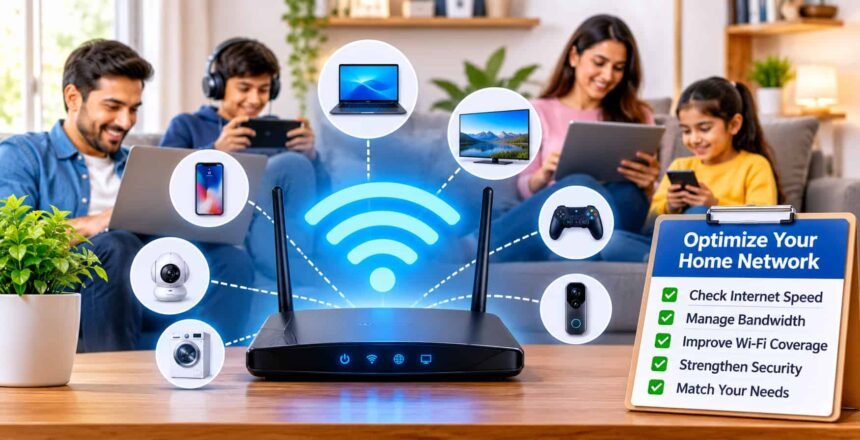
Think about how many devices in your home depend on an internet connection. Ten years ago, you might have had a laptop, a smartphone, and perhaps a games console connected to Wi-Fi. Today, even your doorbell and washing machine could be online. Add remote working, video calls, streaming services, and family playing online games, and it’s hardly surprising that some home networks struggle to keep up. If you’re experiencing regular interruptions or slow speeds, it might be time to look more closely at your entire network rather than blaming individual devices.
Start With the Quality of Your Internet Connection
Your internet connection provides the foundation for everything you do online. While a basic plan may have been perfectly adequate when you first moved into your home, your household’s requirements have probably changed. Streaming high-resolution video, uploading large files, and using cloud-based applications can place considerable demands on older connections.
For Minnesota residents, exploring Minneapolis fiber optic internet options could be worthwhile when reviewing their existing service. Fiber technology transmits data using pulses of light, offering the potential for faster speeds and lower latency than many older broadband technologies.
Some fiber plans also provide symmetrical upload and download speeds, which can be especially useful for people working remotely or regularly sharing large files. Check availability at your address and compare plans based on your actual household requirements.
Understand Where Your Bandwidth Goes
You might assume your internet connection is slow because your favorite streaming service keeps buffering. However, the problem could be happening elsewhere in your home. Someone might be downloading a large game update upstairs while another family member is backing up thousands of photographs to cloud storage.
Many modern routers allow you to monitor connected devices and see how your bandwidth is being used. This information can help you identify activities that consume a significant amount of capacity.
Some routers also offer Quality of Service (QoS) settings, allowing you to prioritize important activities such as work-related video calls. Scheduling large downloads and automatic backups for quieter periods can also improve everyday network performance without requiring additional spending.
Pay Attention to Wi-Fi Coverage
A faster internet package won’t necessarily solve every connectivity problem. If your router is tucked inside a cabinet at one end of the house, devices in distant rooms may still struggle to maintain a reliable wireless connection. Thick walls, multiple floors, and interference from nearby wireless networks can all affect signal strength.
Try positioning your router somewhere central, elevated, and free from large obstructions. If certain rooms still experience poor coverage, a mesh Wi-Fi system could help distribute the signal more evenly throughout your property.
For stationary devices such as desktop computers, smart televisions, and gaming consoles, a wired Ethernet connection is another option worth considering. It can provide a more consistent connection while reducing demand on your wireless network.
Don’t Neglect Network Security
As more household appliances become connected, network security deserves greater attention. A smart camera installed several years ago might still be running outdated software, while your router could be using the same administrative password it came with.
Check that your router and connected devices receive regular security updates. Use a strong, unique Wi-Fi password and enable WPA3 encryption if your equipment supports it, or WPA2-AES if it doesn’t.
Setting up a separate guest network can also prevent visitors from needing access to your primary household network. Regularly reviewing connected devices is a worthwhile habit, especially if you’ve accumulated technology over several years and can no longer remember everything connected to your Wi-Fi.
Build a Network Around Your Everyday Habits
Not every household needs the fastest available internet package or an expensive collection of networking equipment. A couple who mainly browse websites and watch television will have different requirements from a family with several gamers, remote workers, and content creators.
Think about when your connection struggles most and what everyone is doing at those times. Identifying the source of the problem makes it easier to spend money where it will genuinely improve performance. Your home network should accommodate your daily routine without becoming another piece of technology you constantly need to troubleshoot.
Also read: